Give Miley the job. Keep the final say.

Miley works across your tools, gets the work done, and brings the result back to your team.
One Miley, your entire business

She learns how your company works

Sales, marketing, operations, finance — everyone can work with the same Miley.

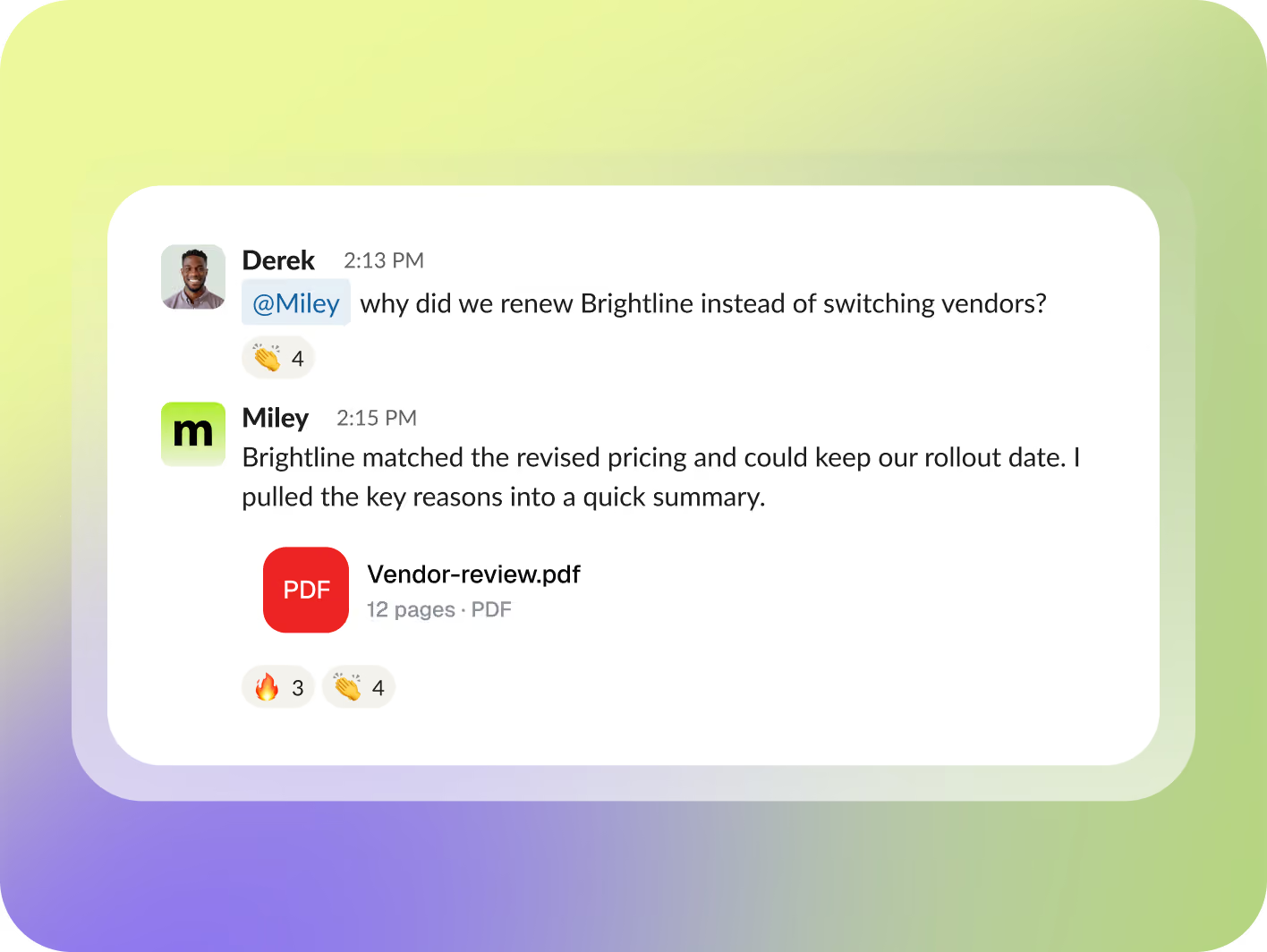
She learns your terminology, processes, preferences, and past decisions. Over time, you explain less and delegate more.
Get Started for Free
Total Control

You decide where and what she can work on. Miley specific logins.

Connect the tools your team already uses, and Miley can get to work in them with the access you give her.

Connect 10,000+ tools, with custom connections available when needed.

Get Started for Free
Only your tools
Shared across the team
Recurring Work

Set the outcome and frequency. She keeps it moving.

Every Tuesday · 8:15 AM
Campaign pulse
What gained momentum, what lost it, and where your next dollar can work harder. Suggestions to move forward based on the data.
#growth
PDF
campaign-pulse.pdf
12 pages
Every Thursday · 3:30 PM
Revenue watch
All new wins, stalled opportunities, forecast changes, and the accounts worth checking next.
#revenue
xlsx
revenue-watch.xlsx
4 pages
Weekdays · 6:45 AM
Customer health check
Miley reviews new issues, handles routine follow-ups, and surfaces accounts showing signs of risk. Escalations are raised in Slack and sorted by urgency and history details of the account.
#churnrisk
Miley
Review complete. Escalations posted
Learning that lasts

Show Miley how you work one time

Teach her once the same way you would train anyone.

1

Show the task

Record yourself doing the work.

2

Miley turns it into a process

She creates clear steps your team can review and edit.

3

Make it recurring

If the job repeats, Miley can prepare the schedule and wait for approval.

Docs and apps

Miley completes the work

You can start the work in chat, but Miley’s output often belongs in a more permanent place. Here are two types of work she creates.
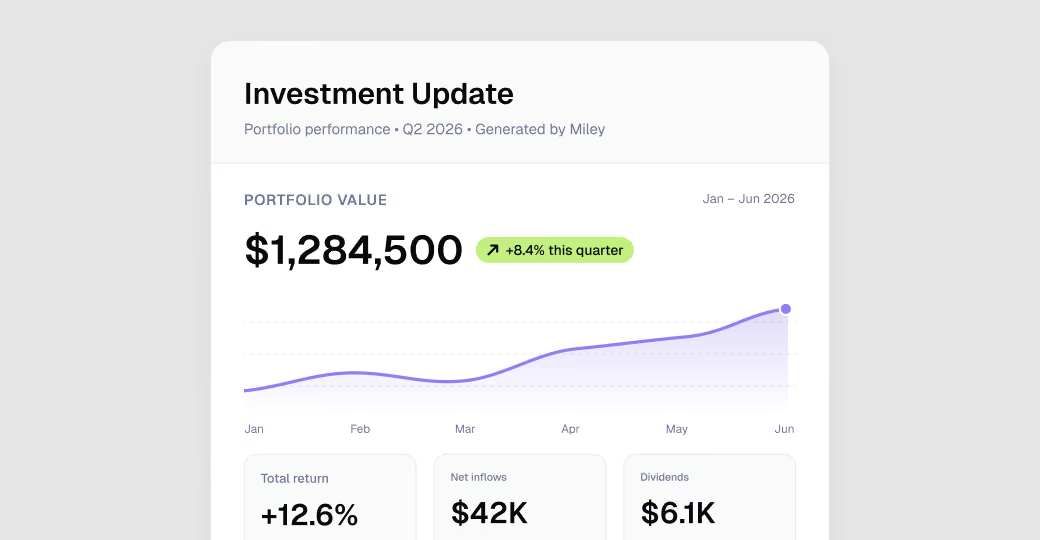
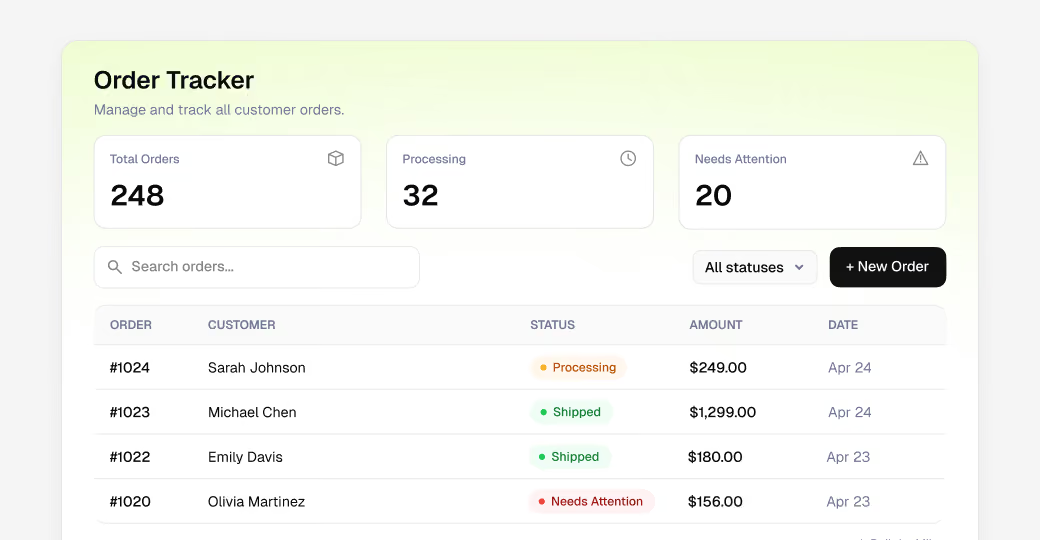
Something you share
Miley Docs
Polished reports, updates, dashboards, and deliverables you can share with a link. Investor updates. Client reports. Performance summaries.
A tool your team uses
Miley Apps
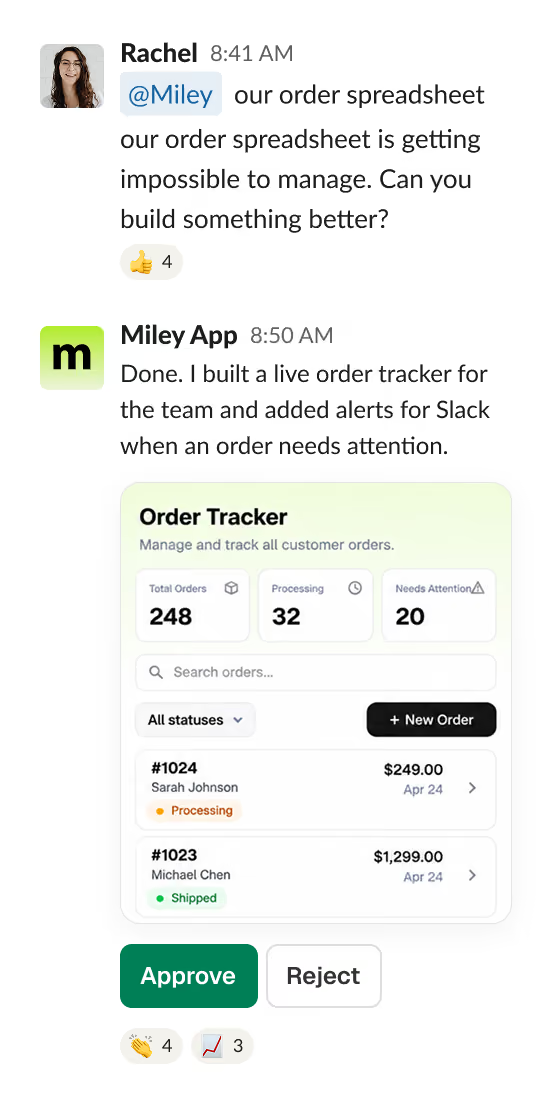
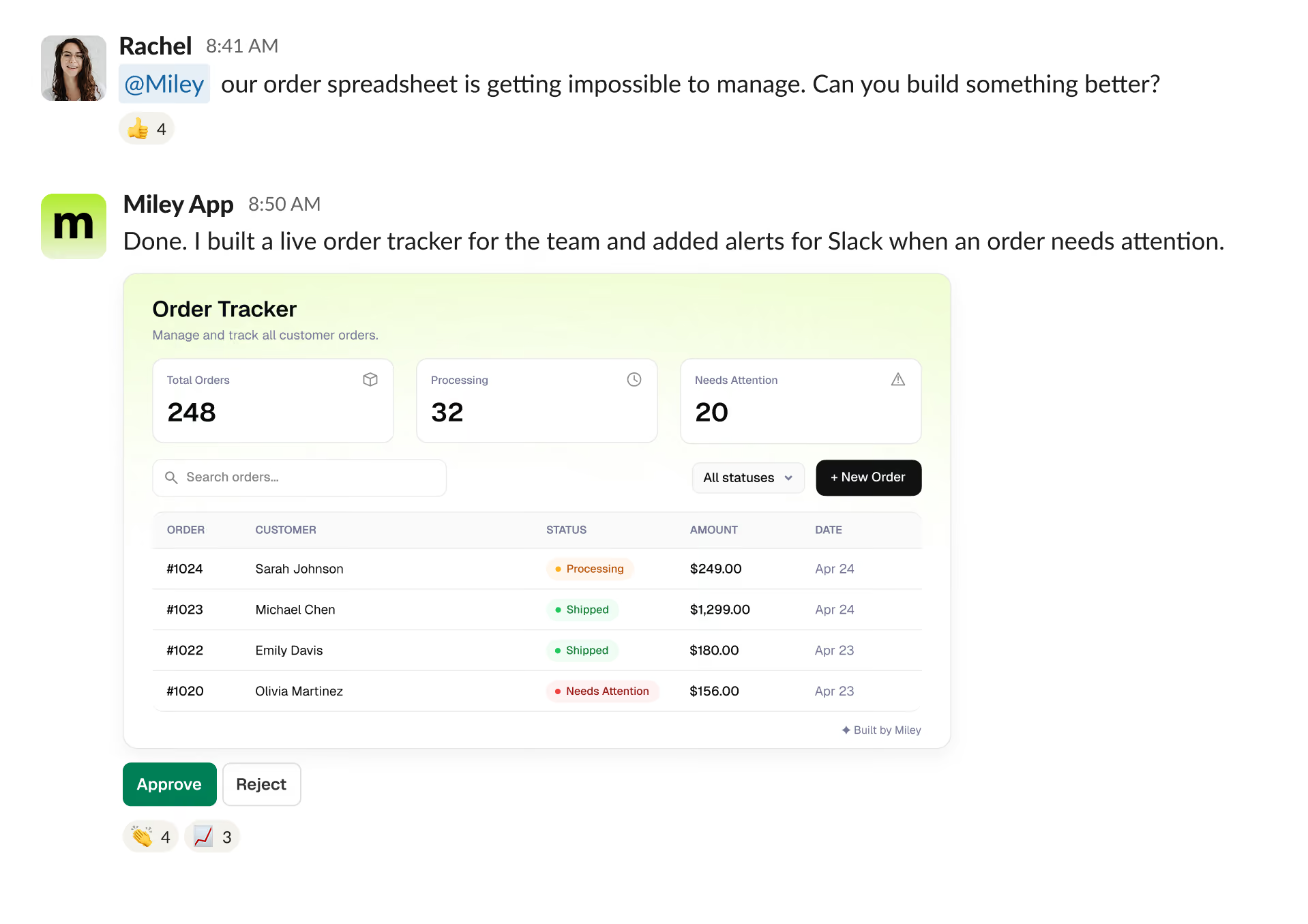
Working internal tools Miley builds for your business. Trackers. Portals. Approval flows. Dashboards. Built for your team. Ready to use with login required.
Decide, then execute

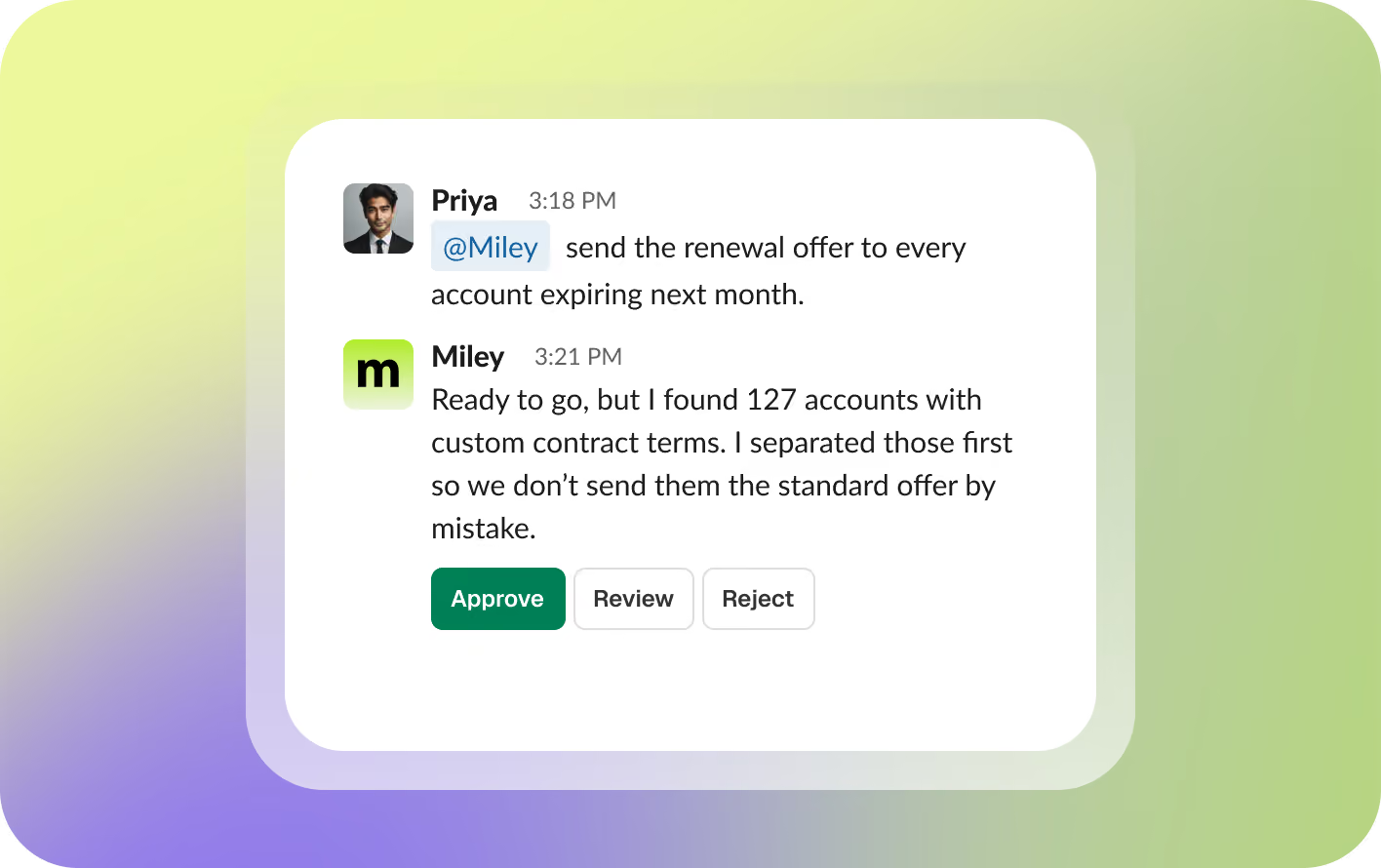
She checks before taking irreversible action

Routine work can keep moving. Important actions can stop for approval first.

She’ll challenge things that don’t add up. If the brief is unclear or a number looks off, Miley asks before moving forward.
Depth and burn

Choose how Miley works

Miley uses leading AI models and stays current as better options become available. You control how much reasoning each task needs, which determines cost.

Core
Fast, efficient work with the lowest credit burn.
Model
Claude Haiku
Reasoning
Simple
Cost
Low
Boost
Stronger reasoning for the work Miley handles.
Model
Claude Sonnet
Reasoning
Moderate
Cost
Medium
Max
Your strongest models for difficult, high-stakes, or deeply complex work.
Model
Claude Opus / Fable
Reasoning
Complex
Cost
High

Clear costs. Always.

Check your usage anytime

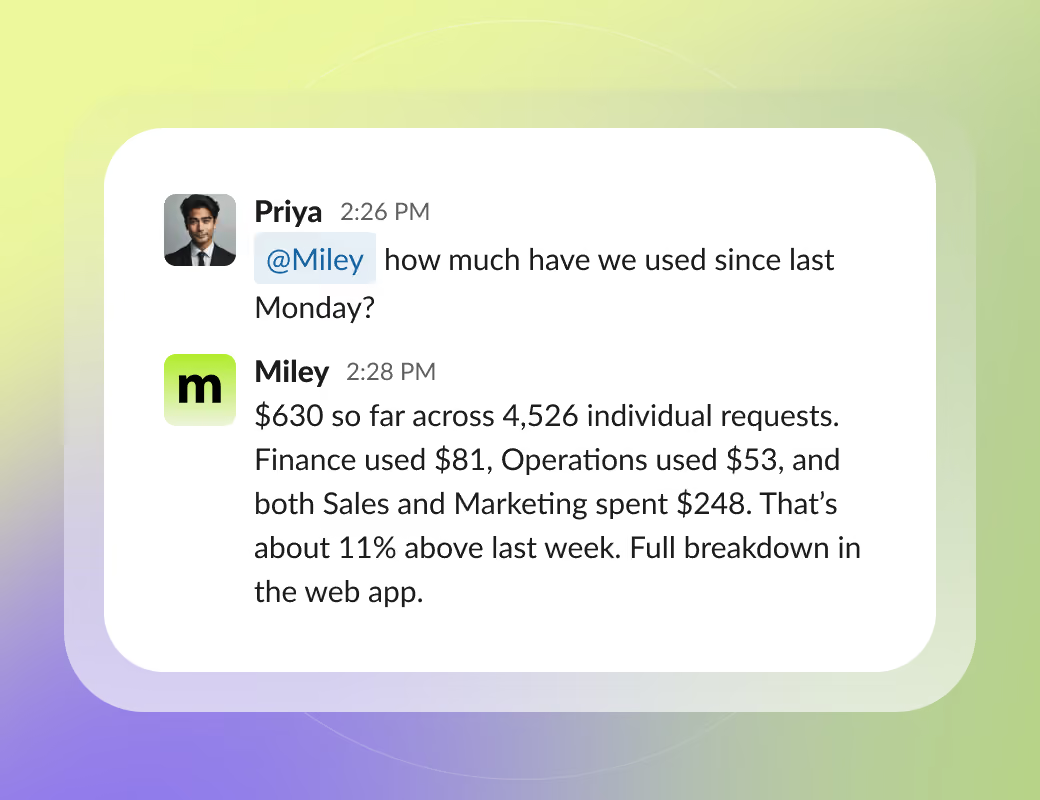
Ask Miley how many credits you’ve used and she’ll give you the latest total. The web app shows the full details.
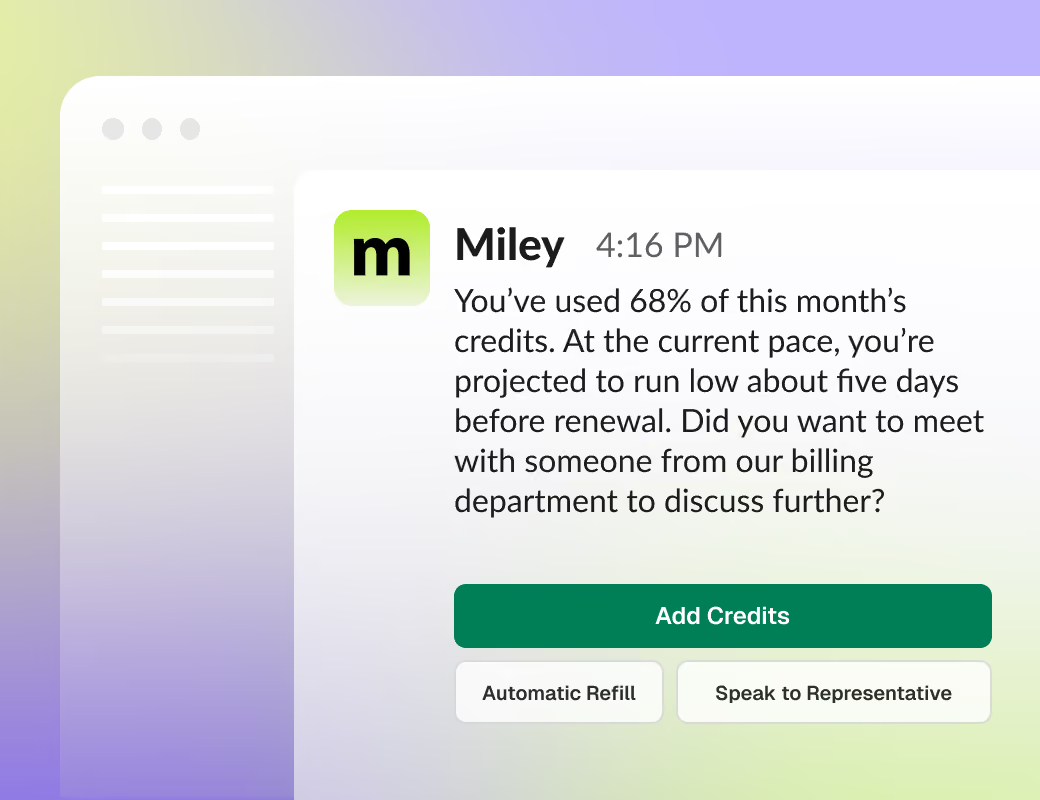
Know before credits get low

Admins get alerts as usage climbs, plus a forecast if your current pace could run through the month’s credits early.
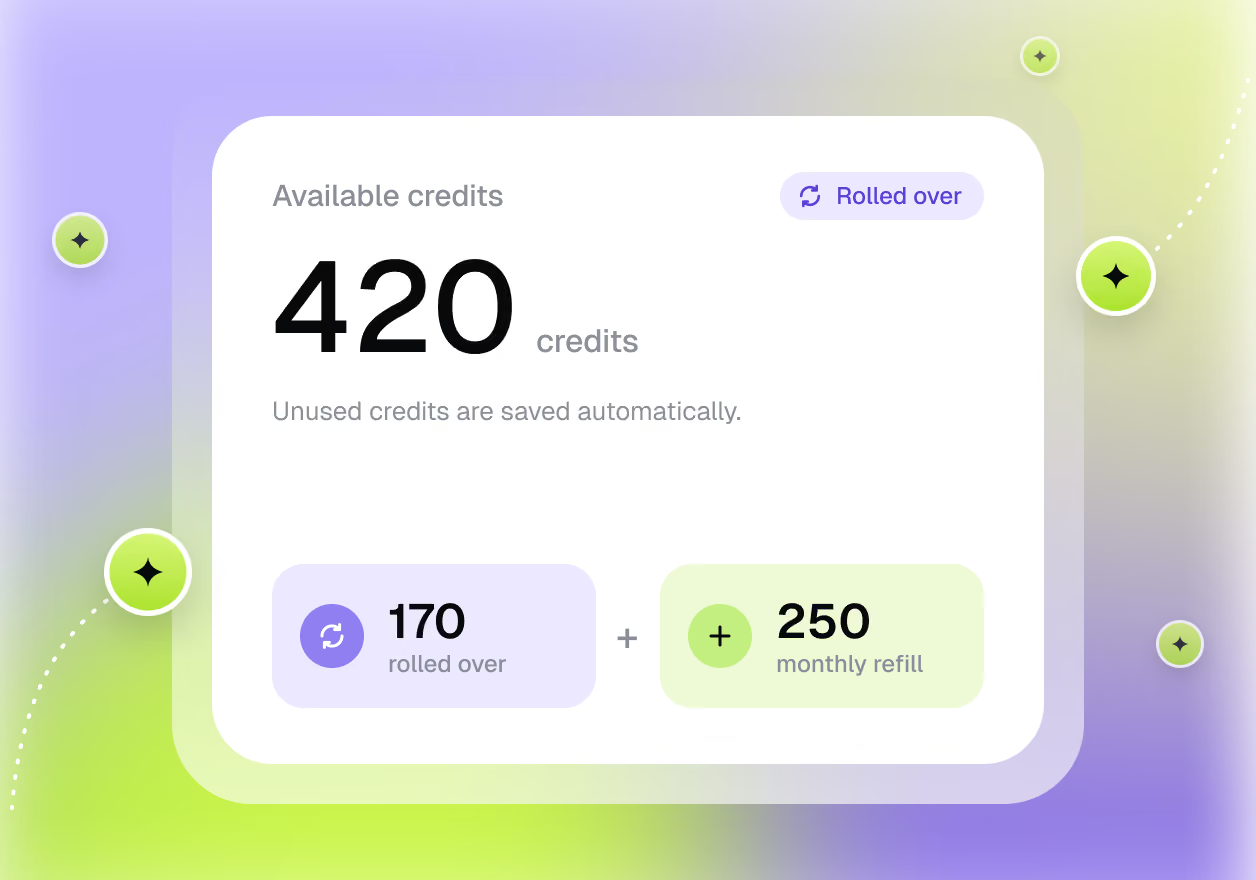
Unused credits roll over

Credits roll over, and automatically refilled credits don’t expire.
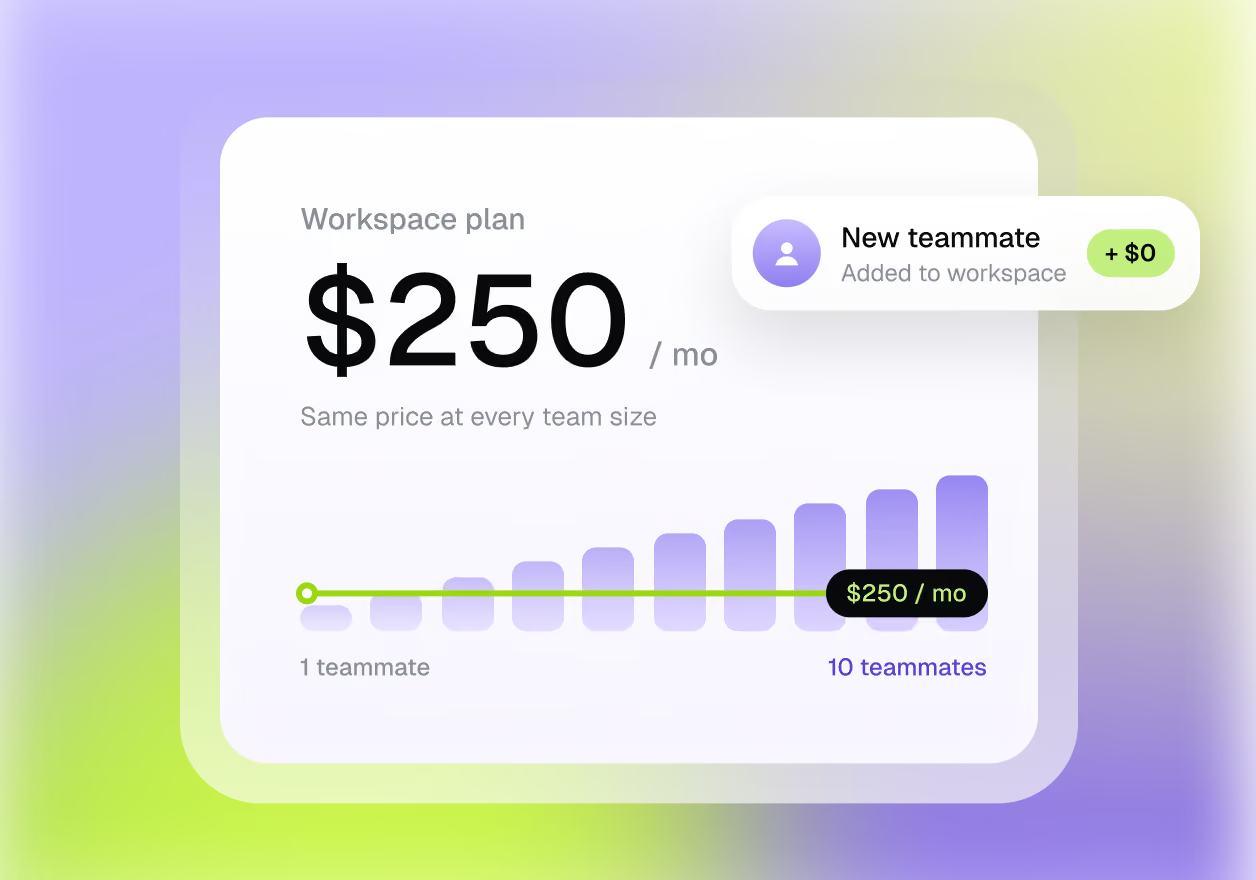
One price for the workspace

You pay for the workspace, not each person. Adding more teammates doesn’t increase your seat cost.

View pricing
The logic

Not a subscription.An actual teammate.

Miley
A teammate
Works across teams: Different departments can give Miley different jobs.
Finished work: Reports, updates, workflows, tools, and actions — not just answers.
Builds company context: She learns your processes, terminology, and preferences.
Moves across your stack: One task can span multiple connected systems.
Knows when to involve you: Approvals, exceptions, and unusual situations come back to your team.
Typical AI
Subscription
Most AI workers need a builder first, then different agents to handle different work.
Chatbots answer questions; you still do the work.
Chat tools forget context.
Most AI tools stay in one app until you go find them.
Automation follows instructions exactly, even when the instructions are wrong.
Security and Compliance

We use bank grade level security

Credentials are securely protected in transit and at rest. Sensitive data never lives on local devices, and integrations use OAuth-based access.

Miley for Enterprise
Your data is never used for training
Admins manage permissions
SSO + SOC 2

FAQ

How quickly can Miley start helping?

Right away. You can give her real work as soon as she joins your team. Over time, she learns your systems, terminology, and preferences so tasks require less explanation.

Where can my team work with her?

Miley works across Text, WhatsApp, Slack, Microsoft Teams, web, and desktop. Your team can assign work, review results, and handle approvals from the places they already work.

Will Miley remember how our business works?

Yes. She can retain useful context your team shares with her, including recurring processes, naming conventions, and operating preferences. Her memory can also be reset when needed.

Can we teach Miley our processes?

Yes. Show her how you handle a task and she can turn that workflow into something repeatable. Ongoing work can then be scheduled or reused whenever your team needs it.

What can Miley handle on her own?

She can take care of assigned research, reporting, recurring workflows, drafts, and other day-to-day work. For actions that require oversight, Miley can pause and ask for approval before proceeding.

What are Miley Apps?

Custom tools Miley creates for your internal use cases. She can build things like dashboards, trackers, portals, and internal workflows that your team can access through their own link and login.

What are Miley Docs?

Shareable reports, documents, and dashboards Miley creates for your team, customers, or investors. You decide who can view them through an easy to send link.

How is Miley different from other AI tools?

Miley is designed to work across roles instead of being limited to one narrow function. Rather than configuring multiple bots or building agents yourself, your team can give Miley work in plain language and let her handle the execution.

How does pricing work?

Pricing is based on the work Miley performs instead of the number of people using her. Credit usage rises or falls with how much work your team delegates.

How can we manage usage and spend?

Admins can monitor credit consumption, receive alerts as balances get low, and add credits when more capacity is needed. For everyday tasks, you can also choose more efficient work models to keep usage predictable.

Miley is your

AI assistant for work and life.

chief of staff for the everyday details.

executive assistant, one text away.

right hand for everything on your plate.

AI employee for the work you keep putting off.

inbox manager, keeping important messages in focus.

meeting assistant, from preparation to follow-up.

research analyst, turning questions into clear findings.

data analyst, turning numbers into next steps.

operations assistant, keeping the daily work moving.

extra set of hands when the day gets busy.

teammate for everything between “I need to” and “done”.

Get Started for FreeBook a Demo